Reception, lab, admission, accounts and administration.
Live diagnostic platform
Offline LAN product
LABDESK PRO
Diagnostic center and clinic managementDiagnostic lab software built for billing, reports, admissions and control.
LabDesk Pro is an offline-first diagnostic center and clinic management platform. It connects reception billing, patients, referral doctors, laboratory result entry, report delivery, admission/IPD, cash book, staff permissions, LAN clients and local backup inside one practical system.
CONNECTED WORKFLOW
Reception → Lab → Delivery
Each department works from the same patient and invoice record.
DEPLOYMENT
Local, fast and LAN-ready
Main PC with controlled client computers across the lab.
Workflow architecture, UI system and application development.
A working diagnostic center and clinic management product.
THE OPERATIONAL CHALLENGE
Diagnostic centers lose time when departments work from different records and disconnected tools.
Reception, billing, sample collection, testing, report preparation,
delivery, accounts and admission all depend on the same patient journey.
LabDesk Pro keeps that journey connected while preserving clear roles
for every employee.
The fragmented workflow
Generic billing software may issue an invoice, but it does not automatically solve diagnostic reporting, test assignment, delivery control, referral commission or admission billing.
- Reception needs fast patient and test billing.
- Technicians need a clear pending-work queue.
- Report results require templates, ranges and approval details.
- Owners need billing, dues, expenses and staff activity together.
The connected LabDesk approach
LabDesk Pro uses one local database and one permission-aware application to keep patient, invoice, test, report, payment and admission records linked.
- A bill automatically creates the related report workflow.
- Payments and due collections remain tied to the invoice.
- Admission services and payments build the discharge bill.
- Role permissions separate reception, lab, accounts and administration.
PRODUCT ARCHITECTURE
One platform for the complete diagnostic and clinic workflow.
Reception & Billing
New and returning patient billing with tests, payments and delivery dates.
Patients
Searchable patient profiles, contact details and invoice histories.
Doctors & Referral
Doctor records, commissions and referral-payment visibility.
Result Entry
Test templates, reference ranges, flags and technician attribution.
Report Delivery
Pending, processing, ready and delivered report status control.
Admission / IPD
Beds, services, deposits, payments and discharge billing.
Accounts
Collections, expenses, dues, discounts and financial summaries.
Admin & LAN
Roles, activity logs, client limits, licensing, settings and backups.
REAL PRODUCT SCREENS
A dense operational interface that remains clear, fast and role-aware.
These screenshots were captured directly from the working LabDesk Pro
application using realistic diagnostic-center records.
01
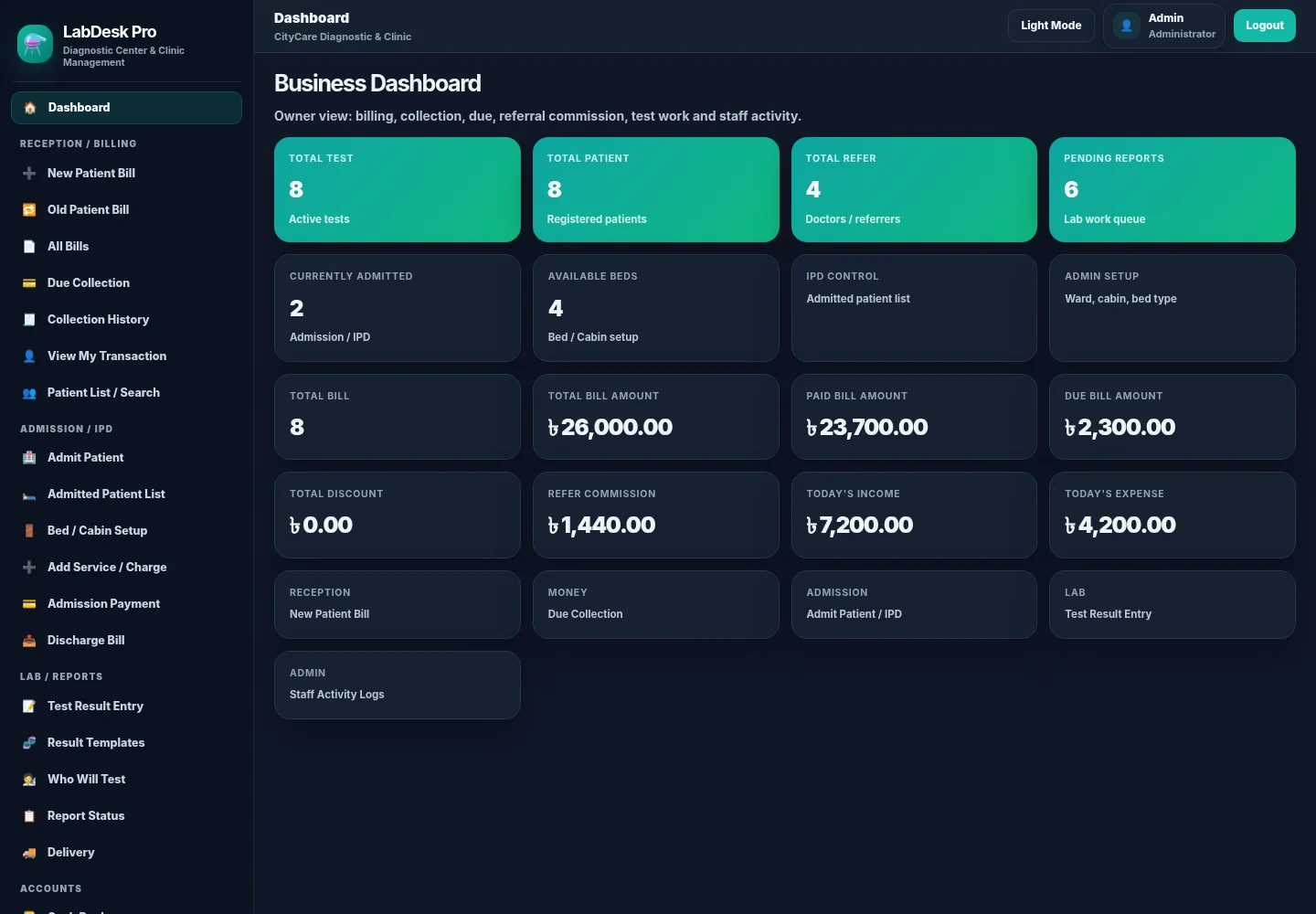
OWNER OVERVIEW
Billing, patients, reports, admissions and daily cash are visible immediately.
The dashboard is built for operational awareness rather than decoration.
Owners can understand the current workload, due position and major daily
activity from one screen.
- Total tests, patients and referral doctors
- Pending diagnostic reports and admissions
- Billing, paid amount, due and discounts
- Daily income, expenses and staff activity access
RECEPTION WORKFLOW
Billing connects patient identity, tests, referral data, payment and report delivery.
02 · NEW PATIENT BILL
Counter workflow
Reception and Billing
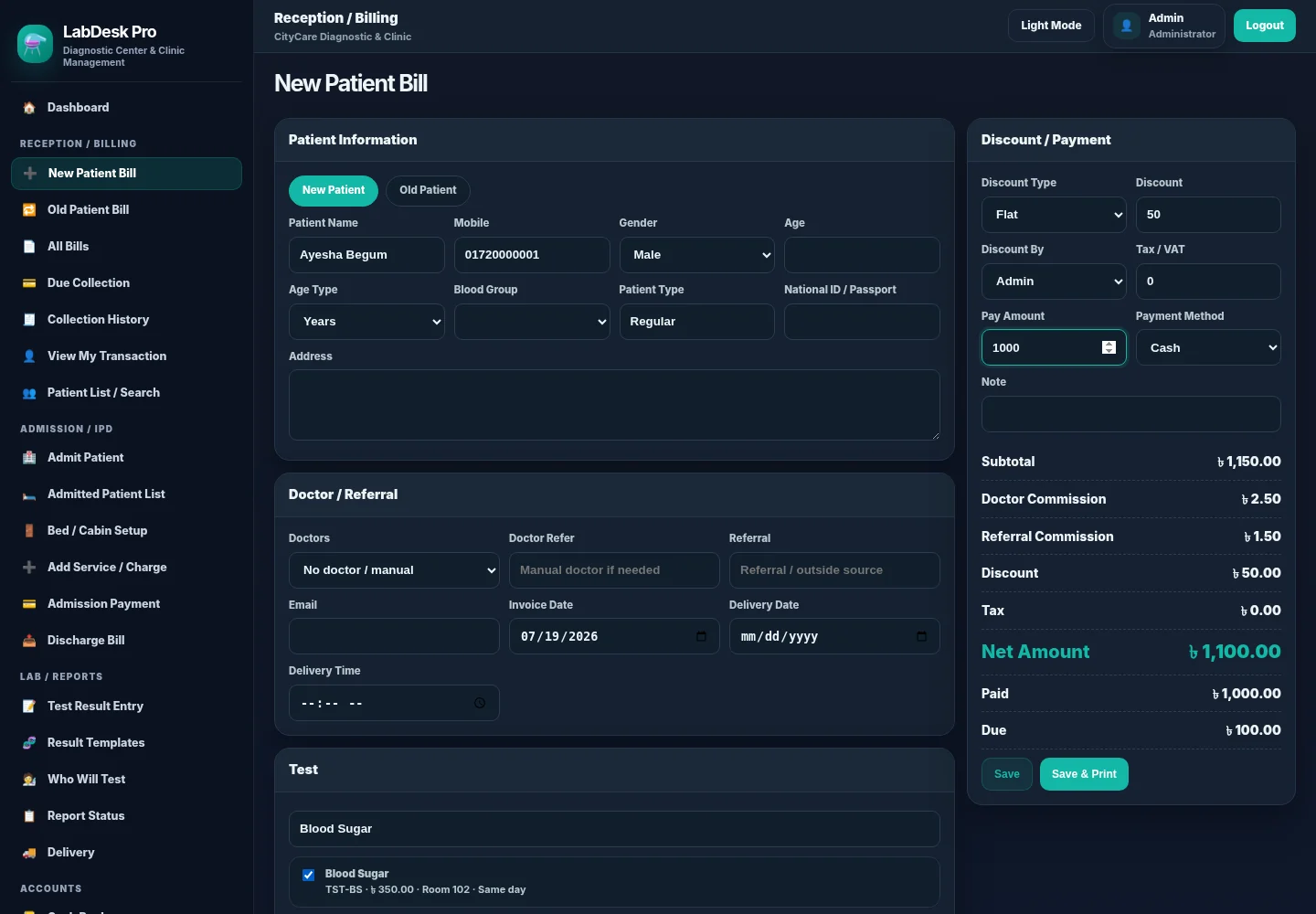
Reception can create or select a patient, choose tests, record doctor and referral information, apply authorised discounts, receive payment and define the report delivery schedule in one workflow.
03 · PATIENT RECORDS
History
Patient List and Search
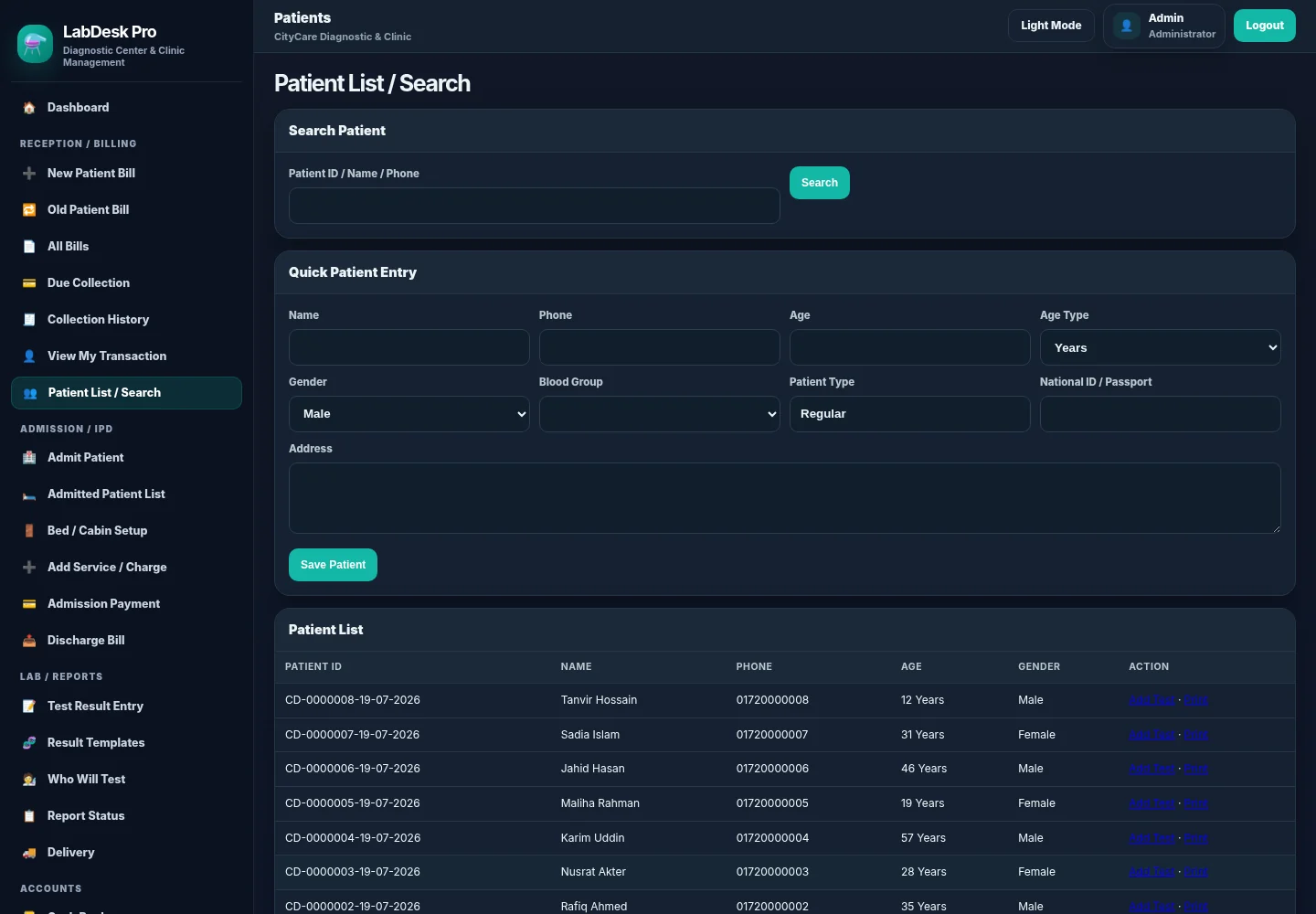
Patient codes, contact details and historical activity stay searchable and reusable.
04 · INVOICE OUTPUT
Printable
Money Receipt
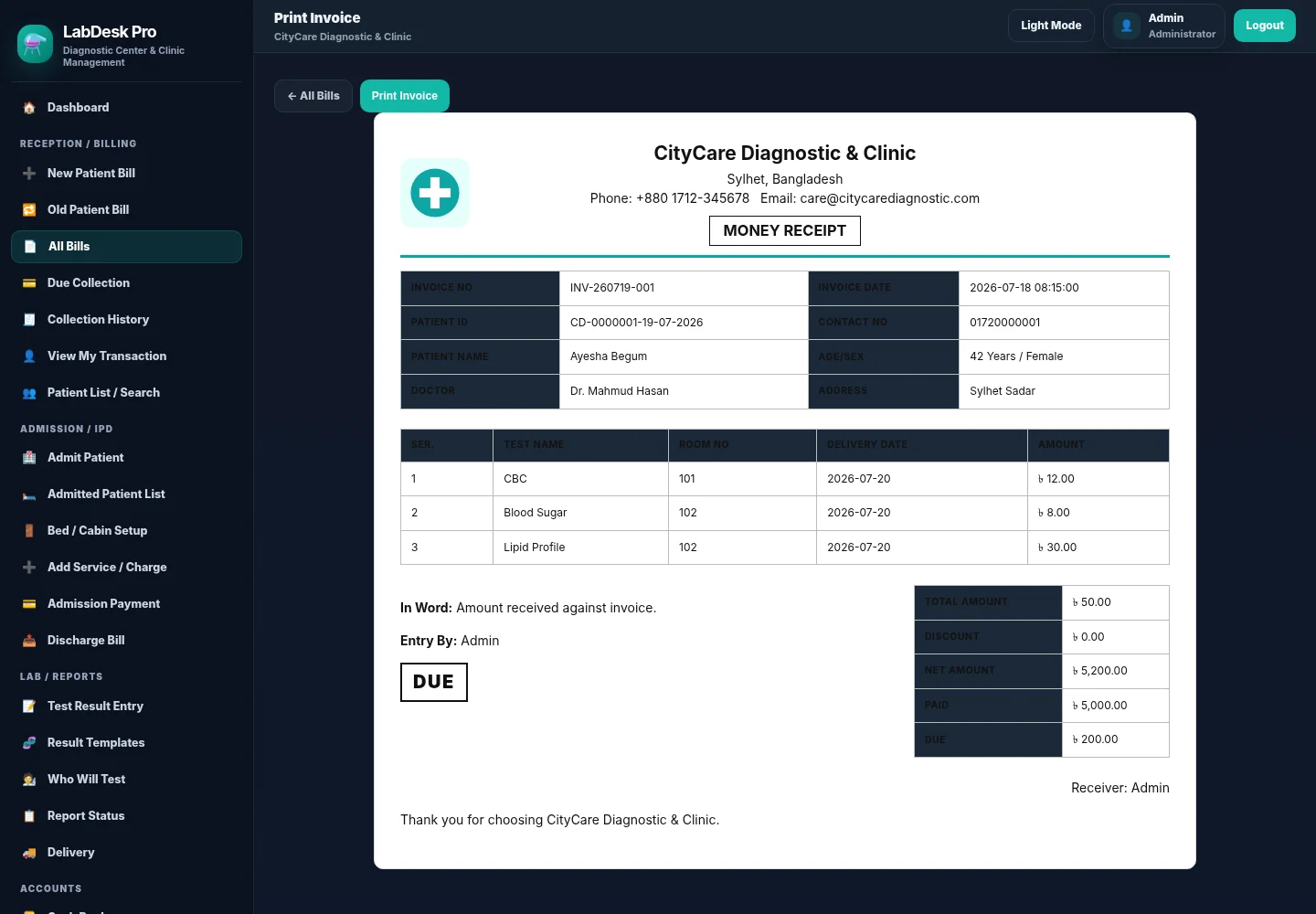
Printable receipts use lab identity, patient information, selected tests and payment status.
LABORATORY WORKFLOW
Test templates flow naturally into result entry, status control and final reports.
05 · RESULT EDITOR
Technician workflow
Test Result Entry
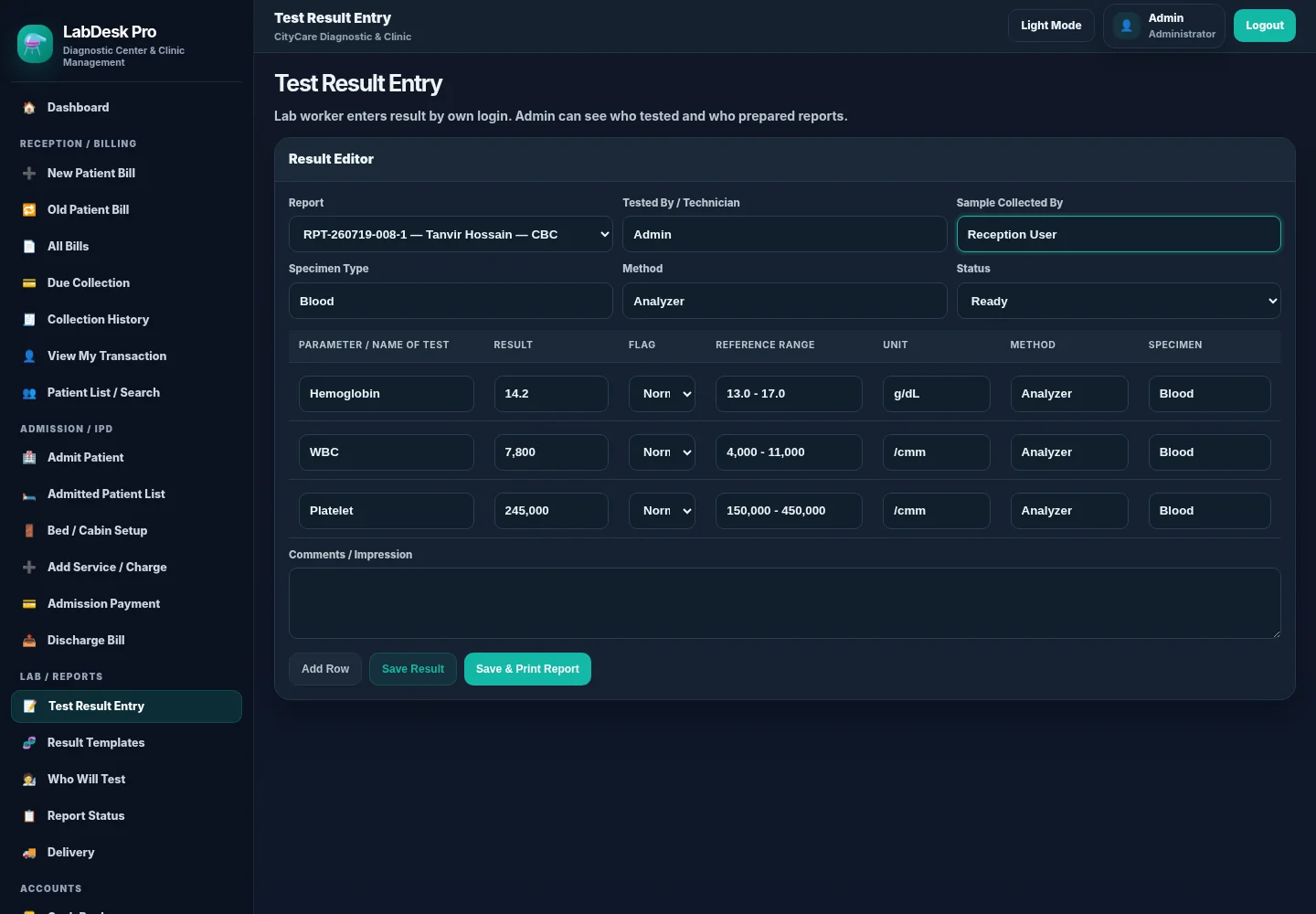
Test-specific parameters, results, flags, reference ranges, units, methods and specimen details are captured together with the technician and sample collector.
06 · WORK QUEUE
Tracking
Report Status
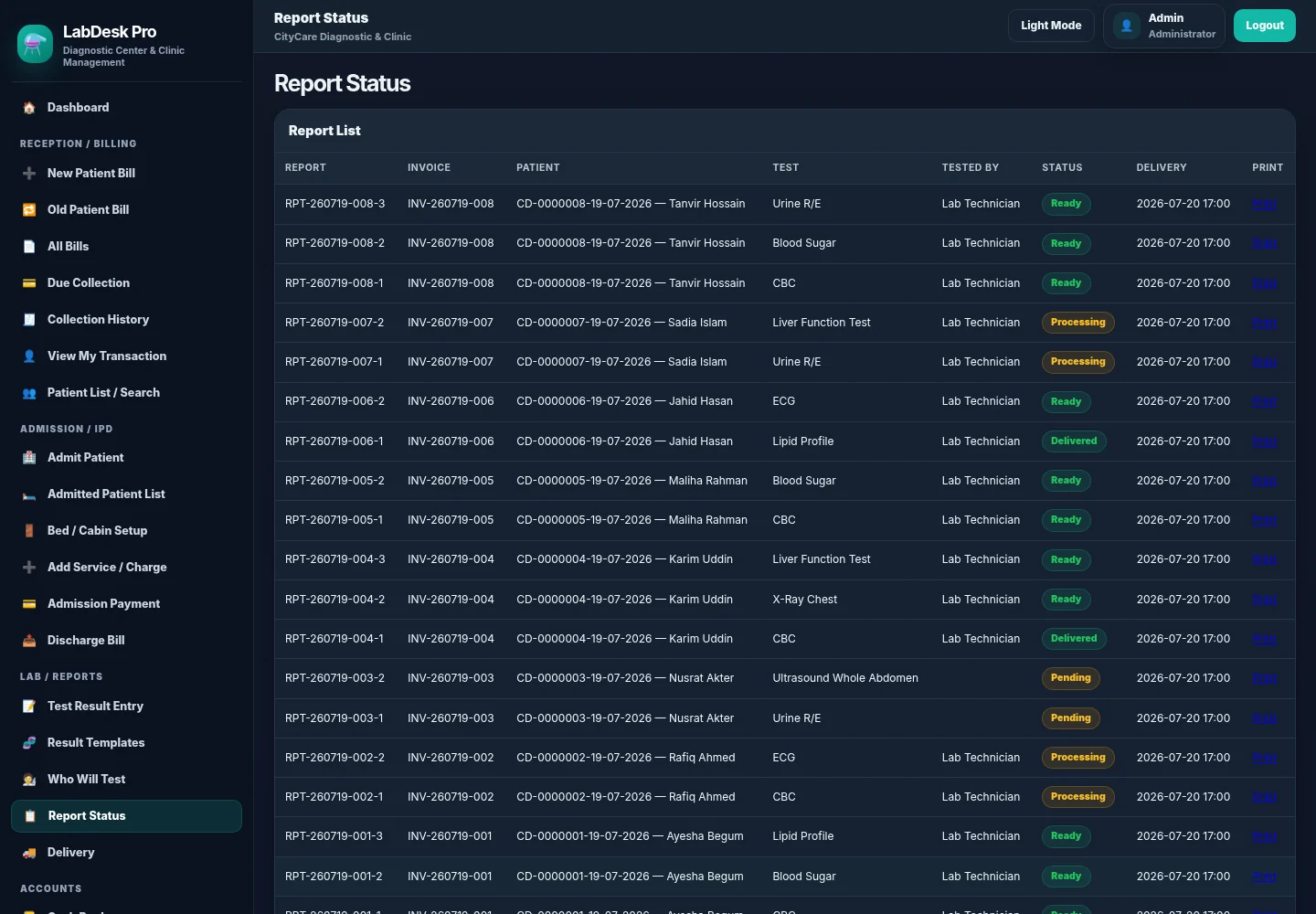
Every report can move through pending, processing, ready and delivered states.
07 · FINAL OUTPUT
Professional print
Diagnostic Report
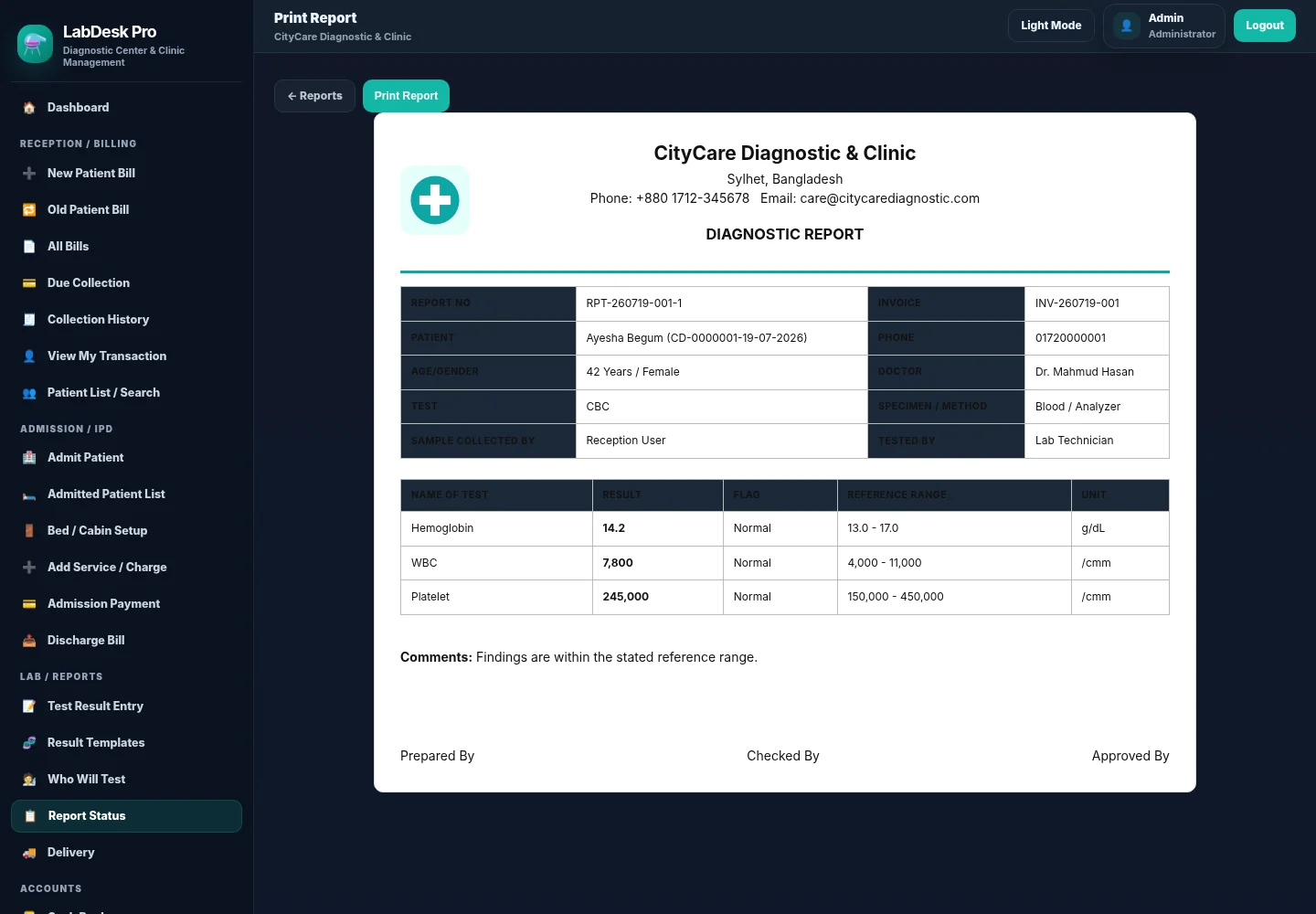
The final report includes patient, doctor, specimen, method, results and approval areas.
ADMISSION / IPD
Clinic admissions extend the diagnostic workflow into beds, services, payments and discharge billing.
08 · ADMITTED PATIENTS
IPD
Admission List
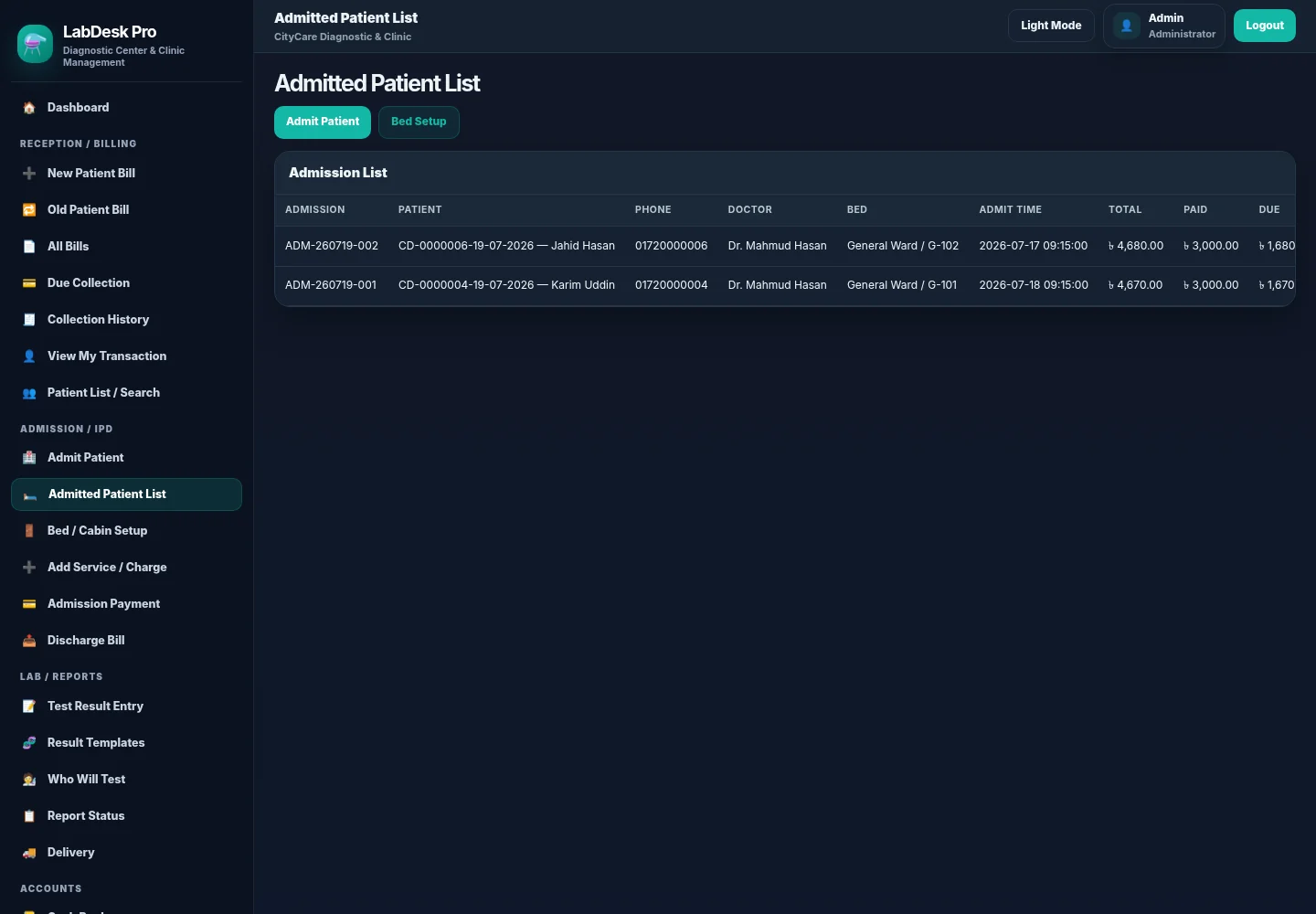
Current patients show bed, doctor, admission time, total cost, paid amount and due.
09 · CAPACITY CONTROL
Flexible setup
Bed and Cabin Setup
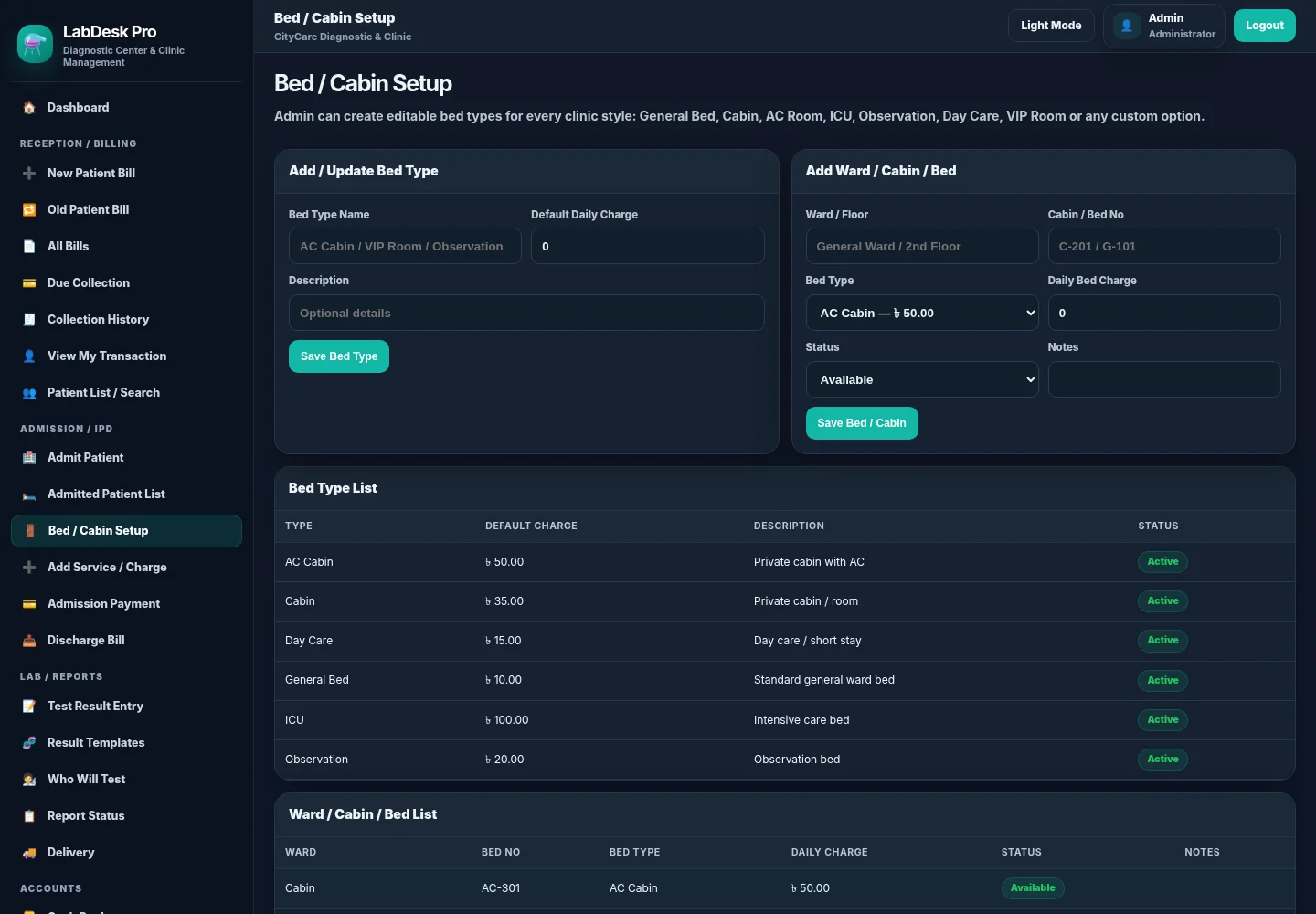
Labs and clinics can define wards, cabins, bed types, charges and availability states.
FINANCE + ADMINISTRATION
Owners get financial visibility while staff access remains controlled by role and responsibility.
10 · ACCOUNTS
Finance
Cash Book
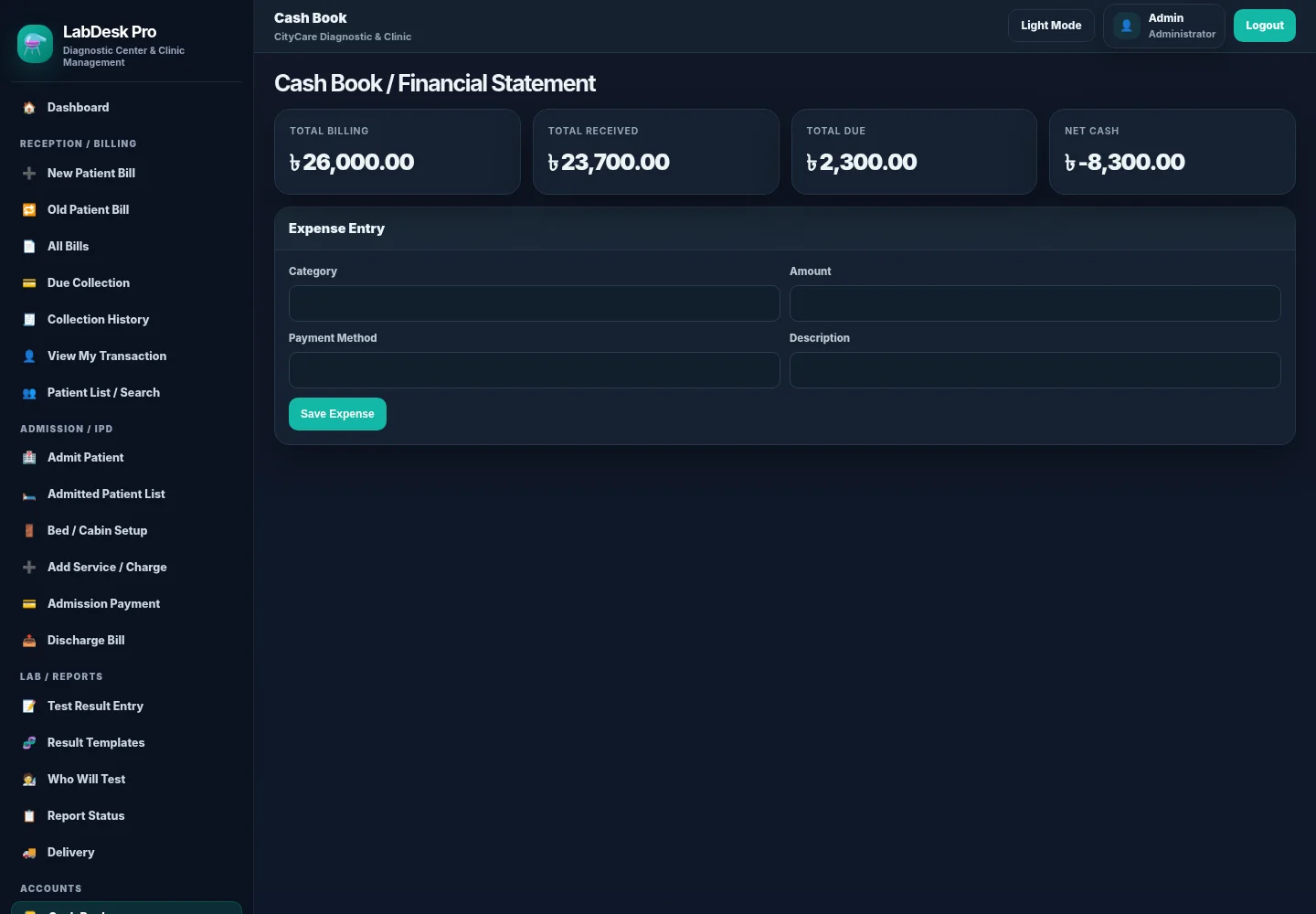
Total billing, received amounts, dues, expenses and net cash stay visible.
11 · ACCESS CONTROL
Permissions
Users and Roles
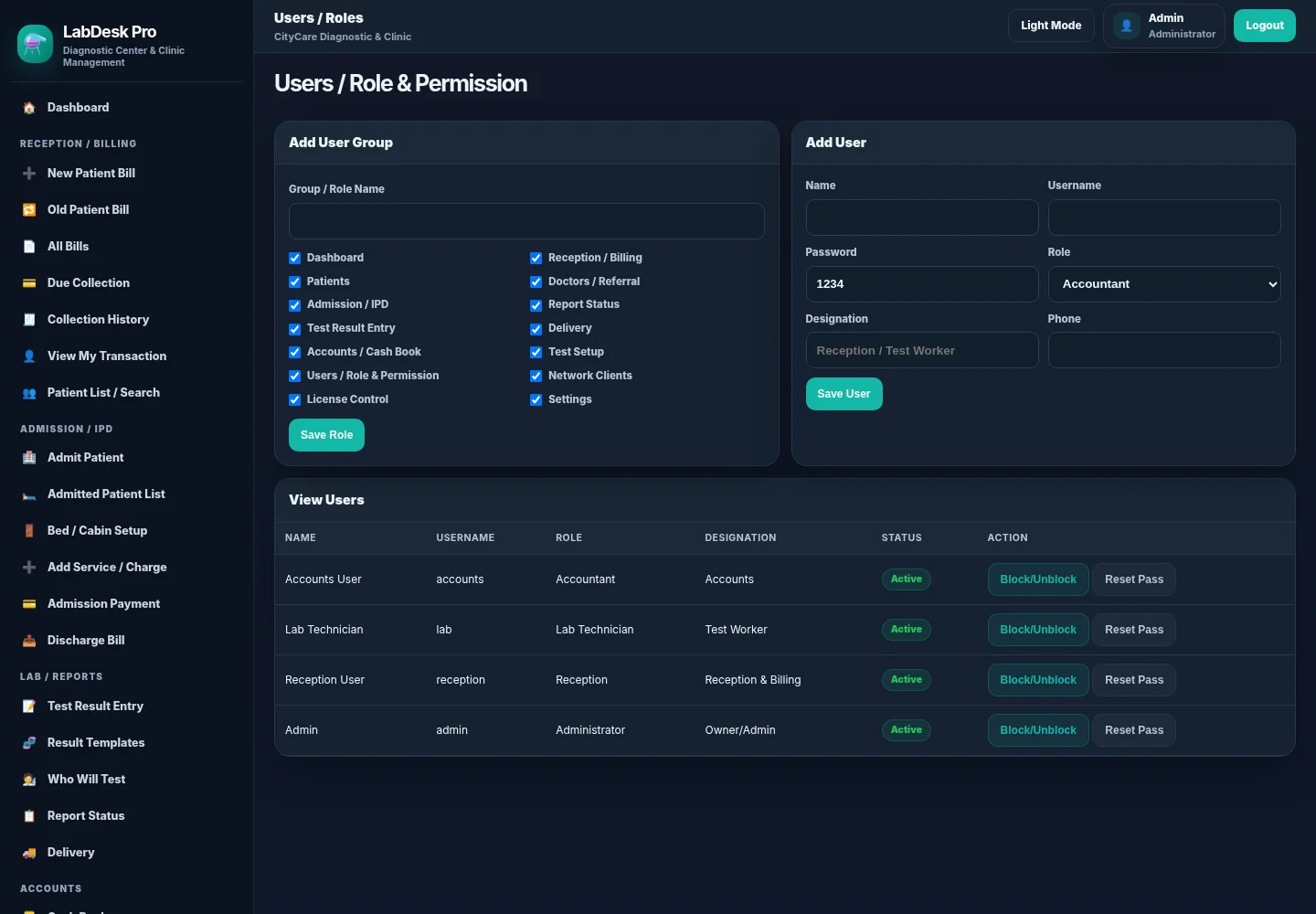
Reception, technicians, accountants and managers receive only the permissions they need.
PRODUCT ENGINEERING
Built as a local business product, not a collection of disconnected forms.
LabDesk Pro uses a Flask application, SQLite database, role permissions,
activity logs, controlled LAN clients, licensing and local backup architecture.
The design supports both light and dark operation while keeping printable
documents clean and professional.
Core diagnostic and clinic work does not depend on continuous internet access.
Patients, invoices, reports, payments and admissions stay linked.
Important actions record the responsible user, role, time and details.
Plans can define how many network computers may access the main system.
Need a diagnostic or clinic platform?
Let’s turn your real healthcare workflow into clear, reliable business software.
Share your reception process, tests, reporting rules, admission workflow, staff roles and accounting needs. I’ll help shape the clearest practical system.